
Dispatch, drive and get paid. In one app.
Trips, drivers, clients and invoices. On your computer and on your phone.
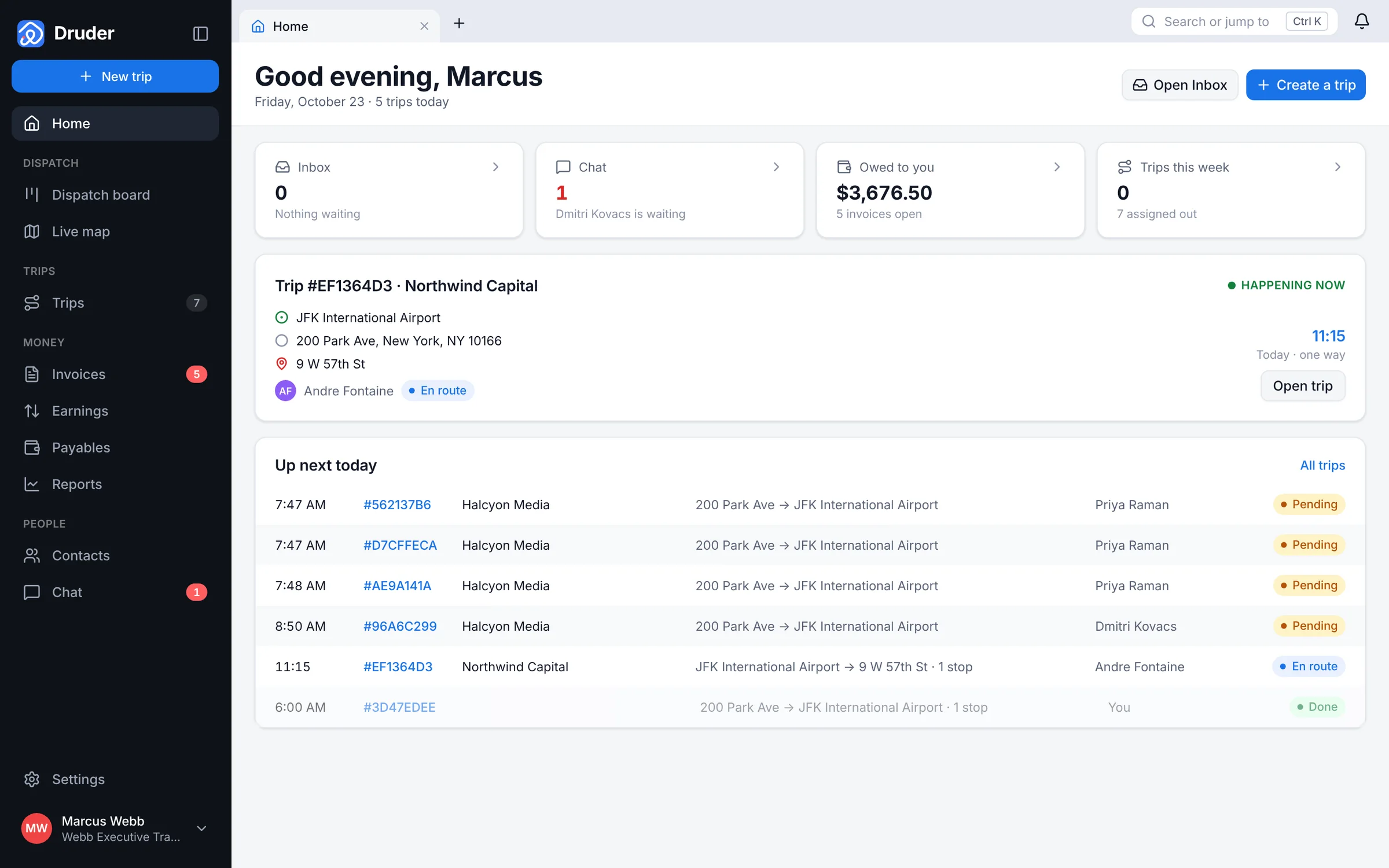
Your day, on one screen.
Today's trips, who is driving, and what you are owed.
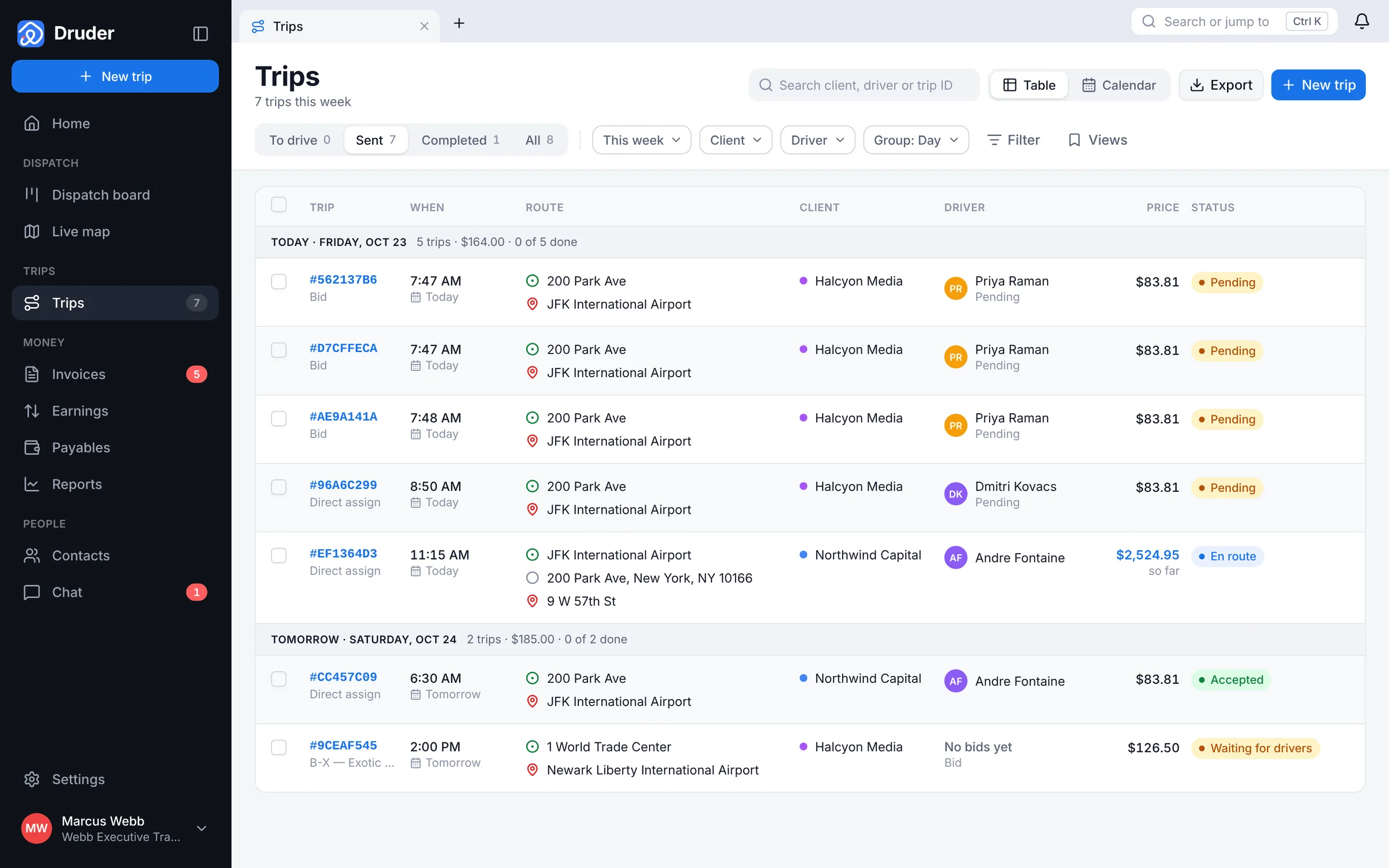
Every trip in one list.
Filter by day, client or driver. Export it when you need to.
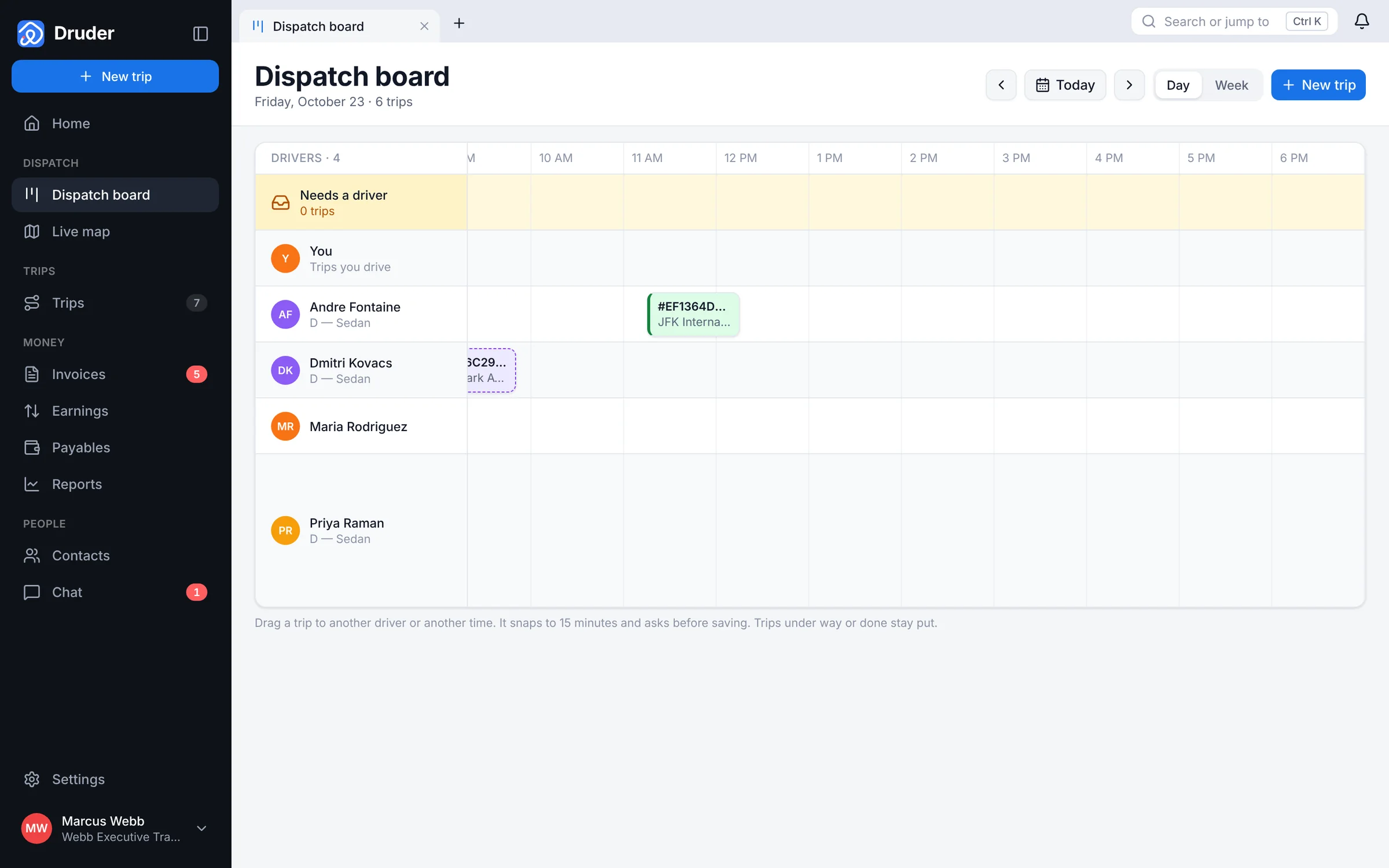
Drag a trip to a driver.
The board shows who is free and who is booked.
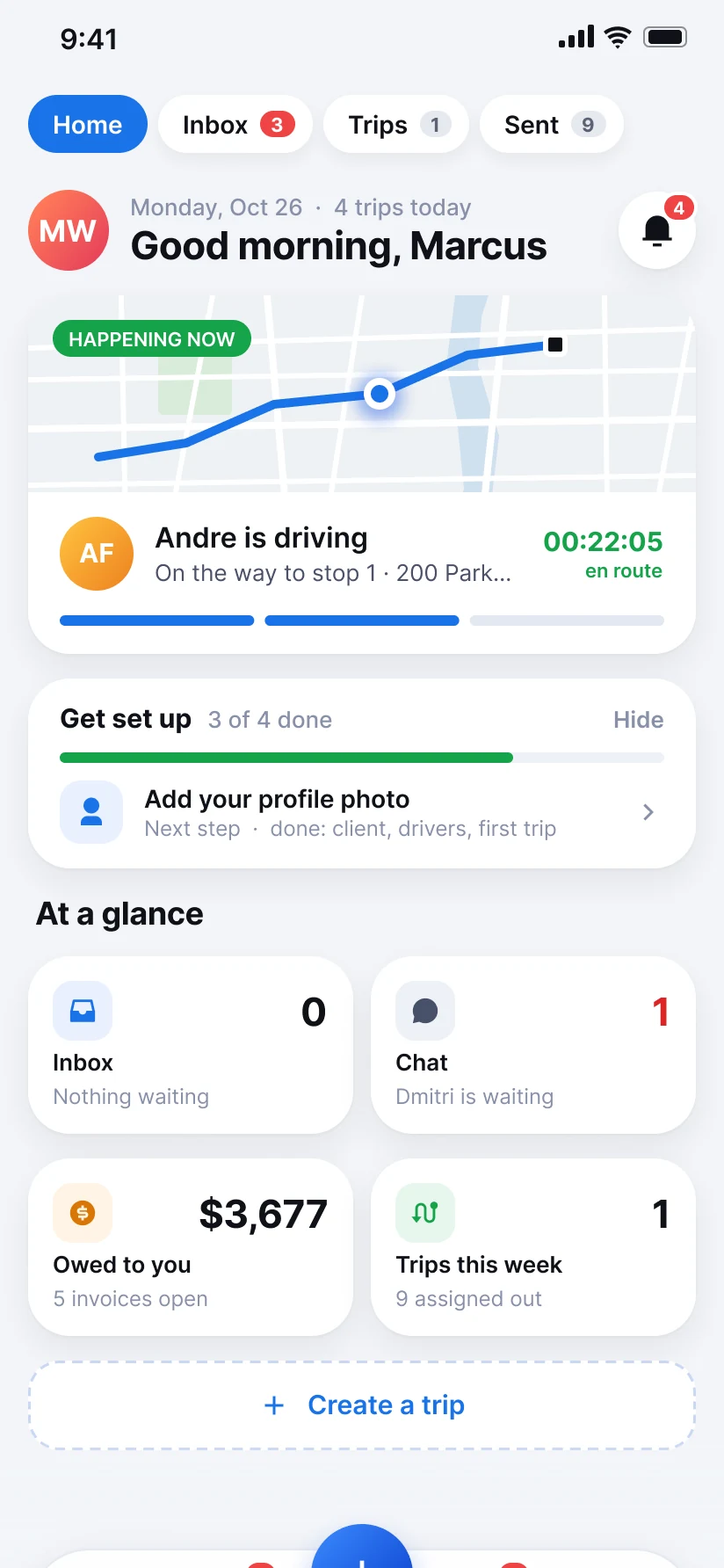
Your day, on your phone.
Trips happening now, what needs you, and what you are owed.
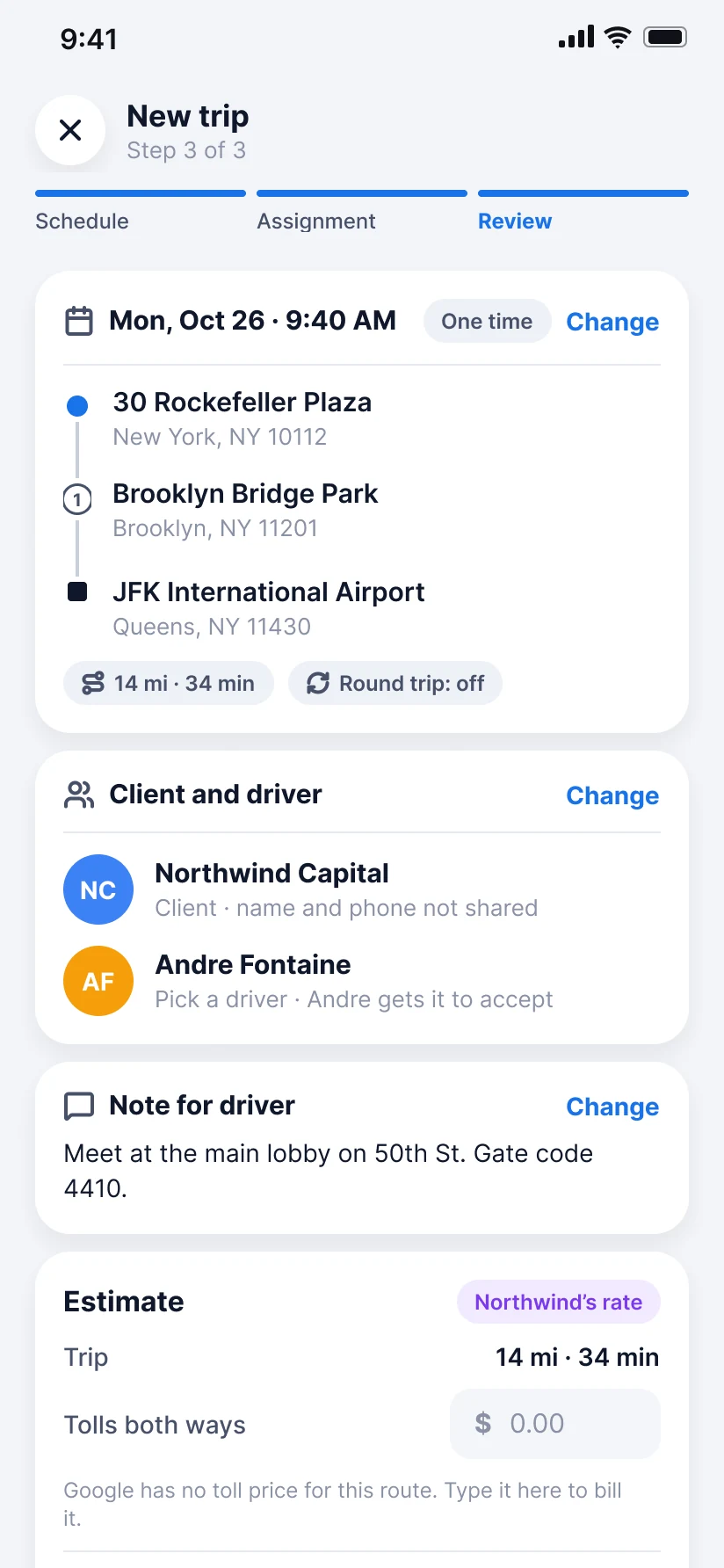
A new trip in a minute.
Pickup, drop-off and time. Druder works out the price.
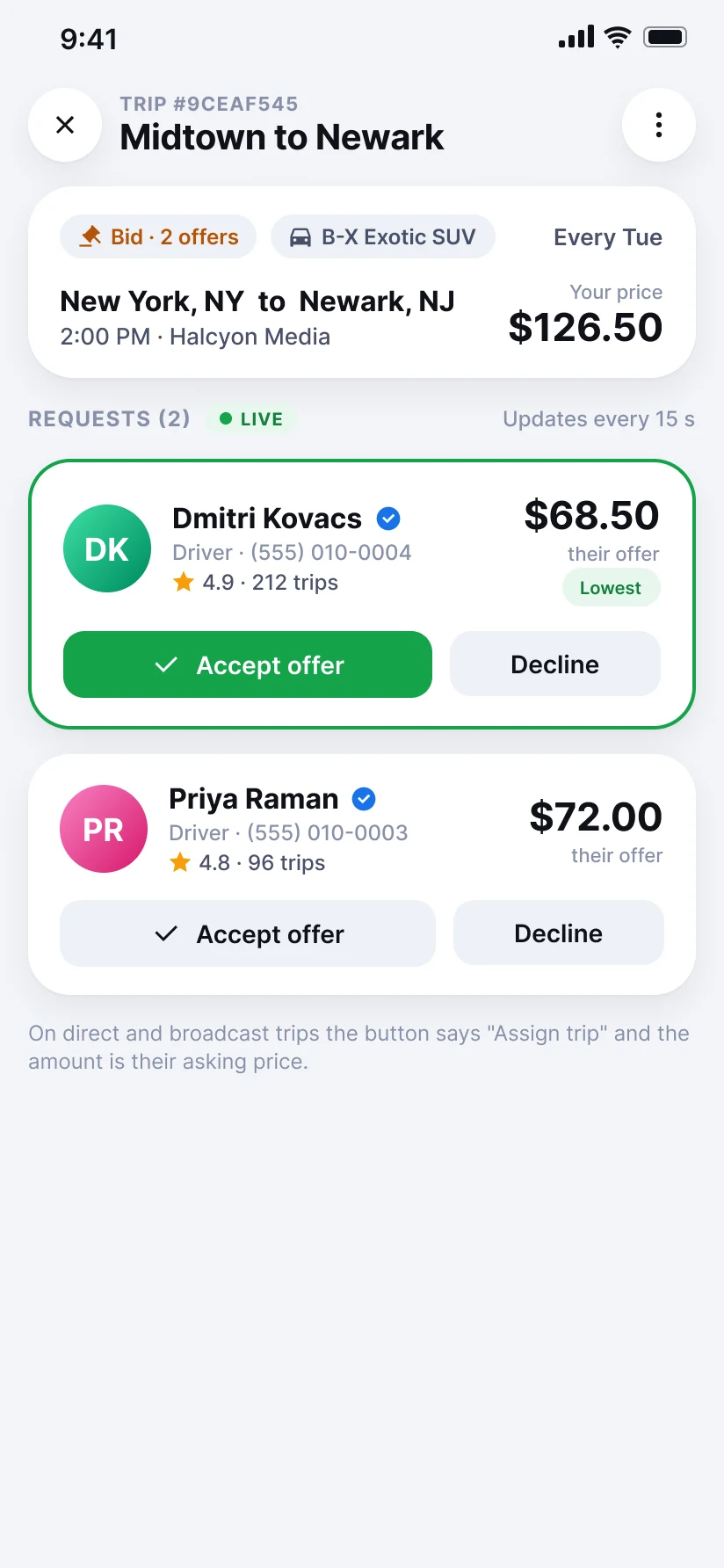
Send it your way.
To one driver, to all your drivers, or ask them for offers.
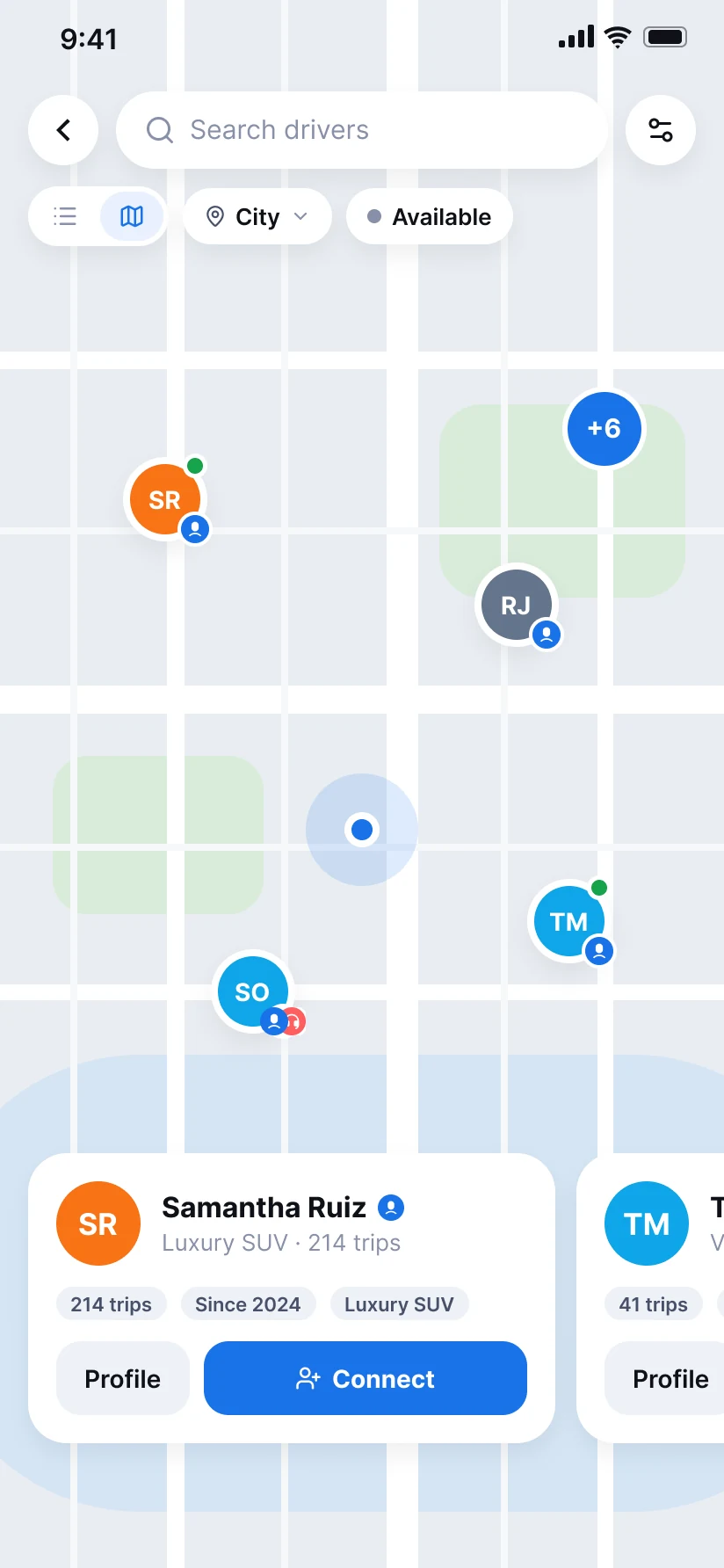
Find drivers near you.
See who is free right now, and connect in one tap.
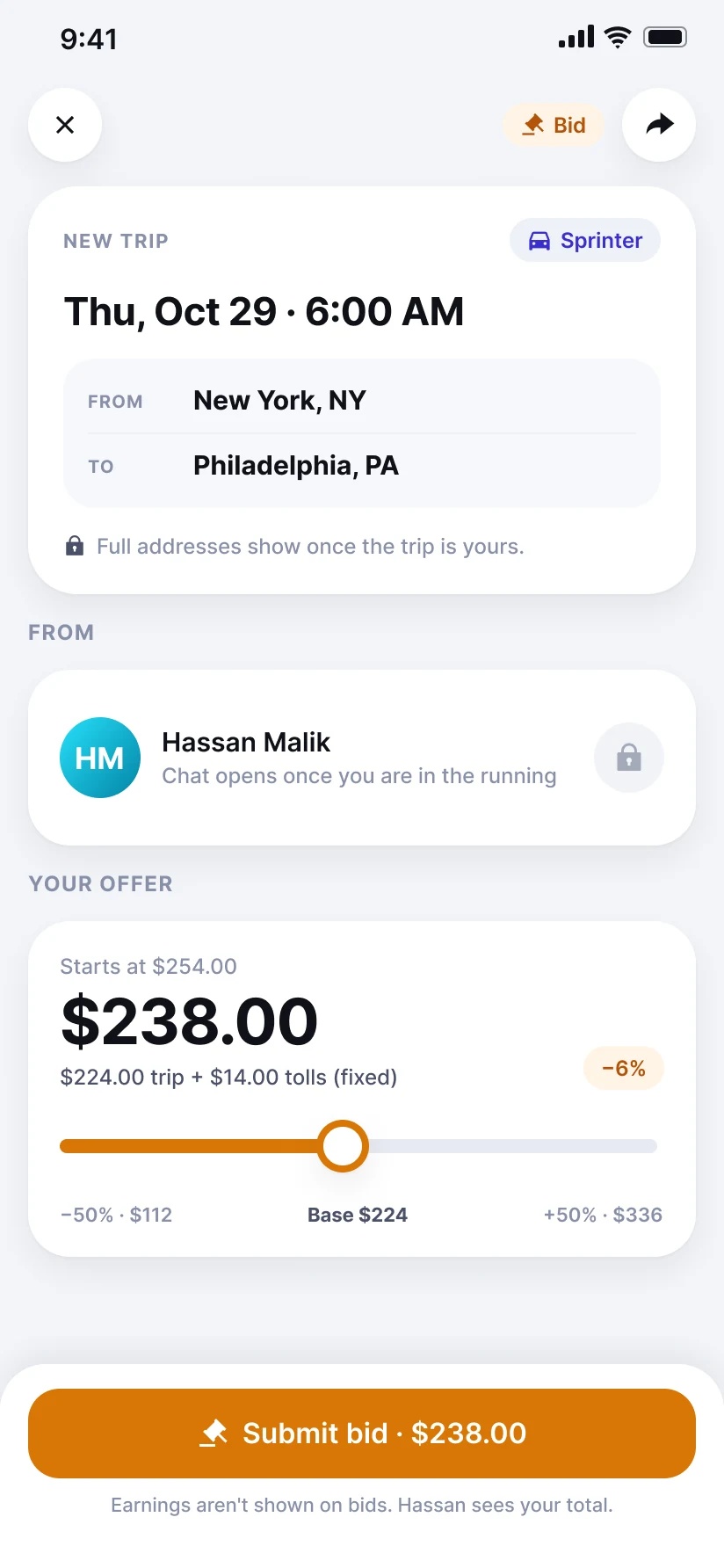
Drivers name their price.
On an open trip, slide to make an offer.
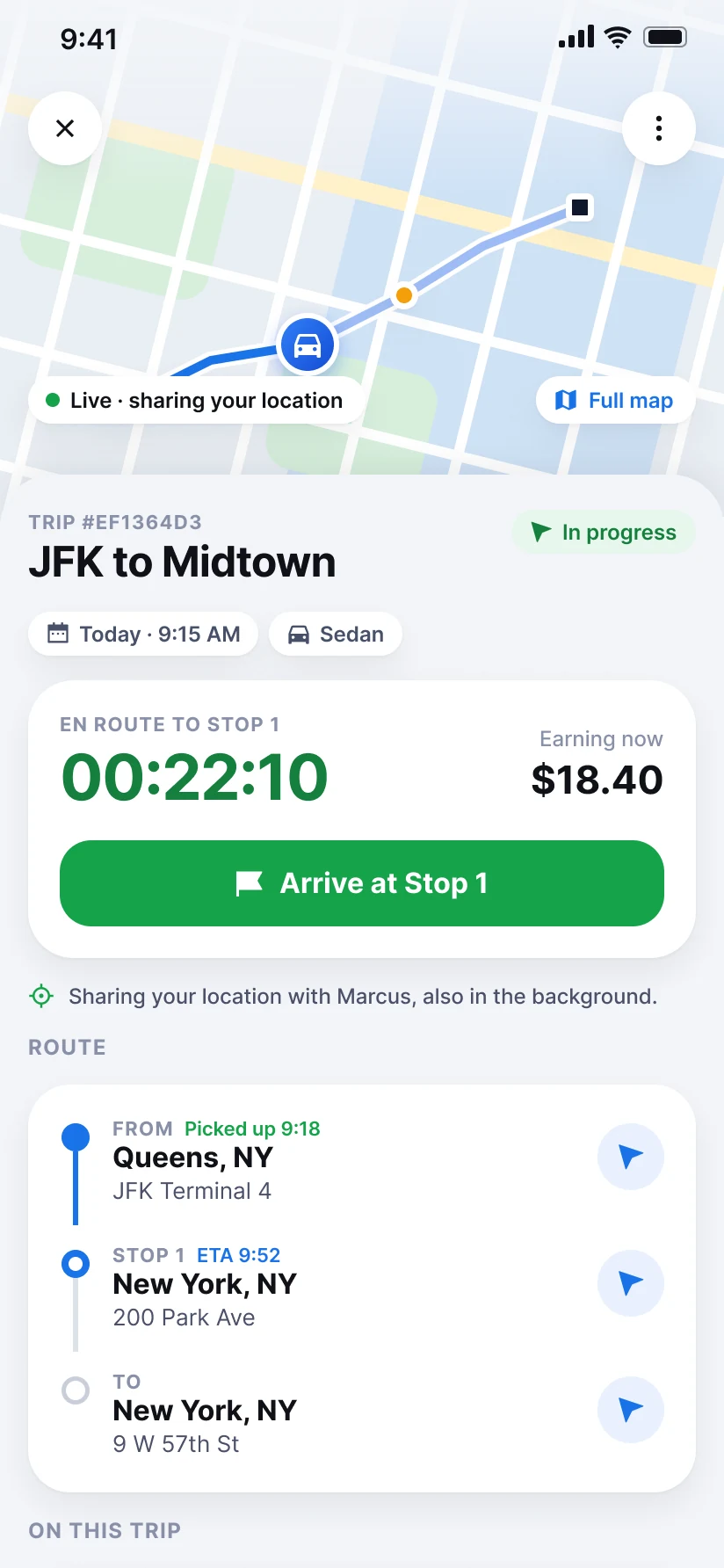
The trip, live.
The timer counts driving and waiting. The price adds up as you go.
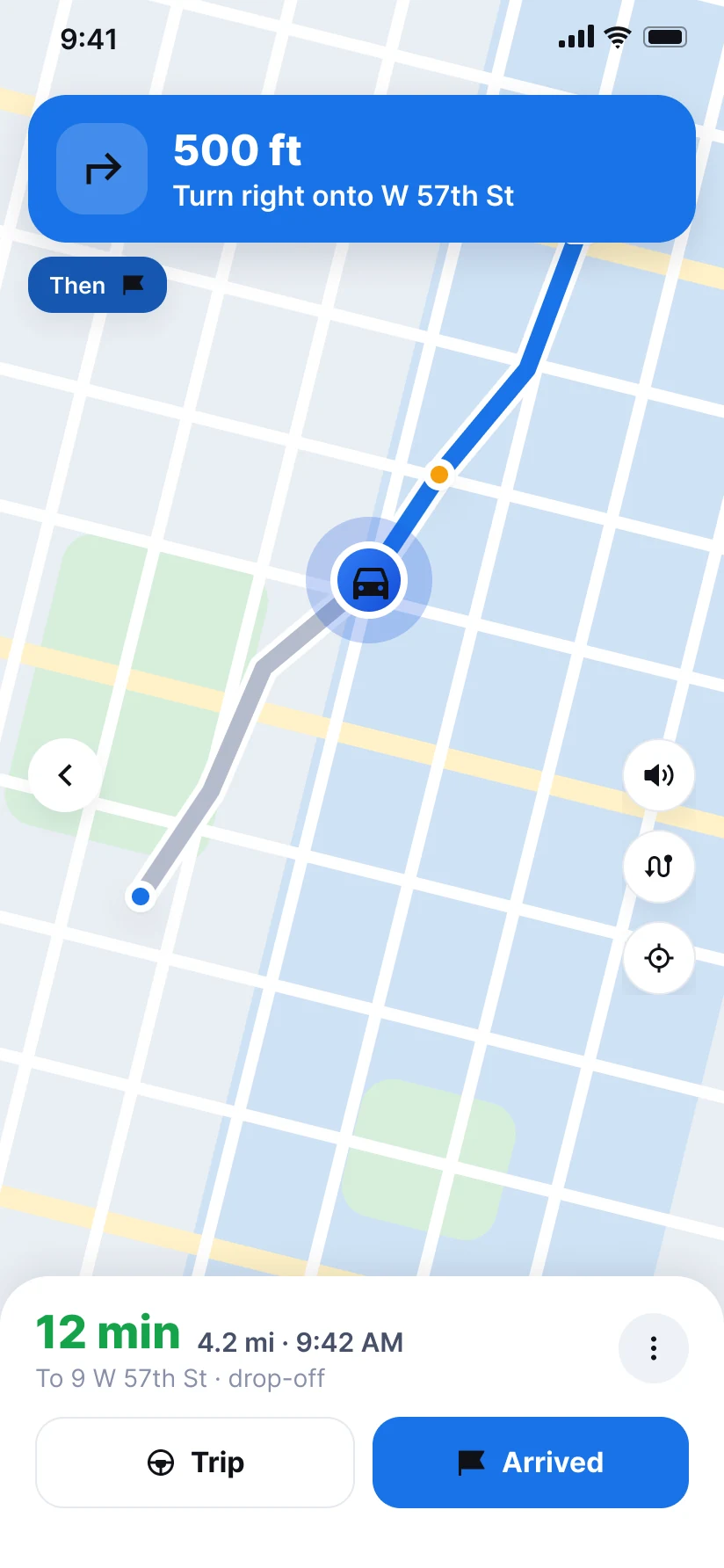
Turn by turn, built in.
Spoken directions to every stop, inside the app.
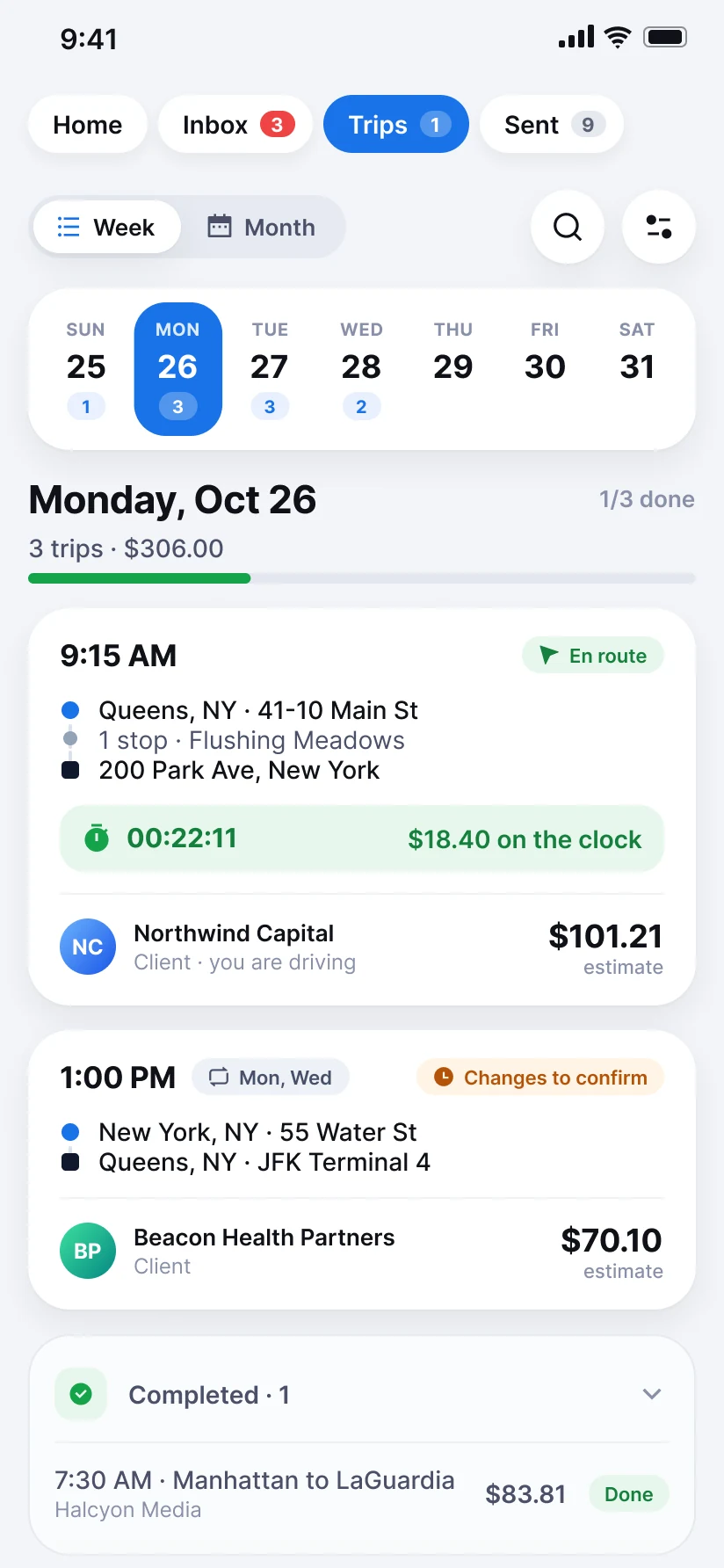
Your week at a glance.
Tap a day to see its trips.
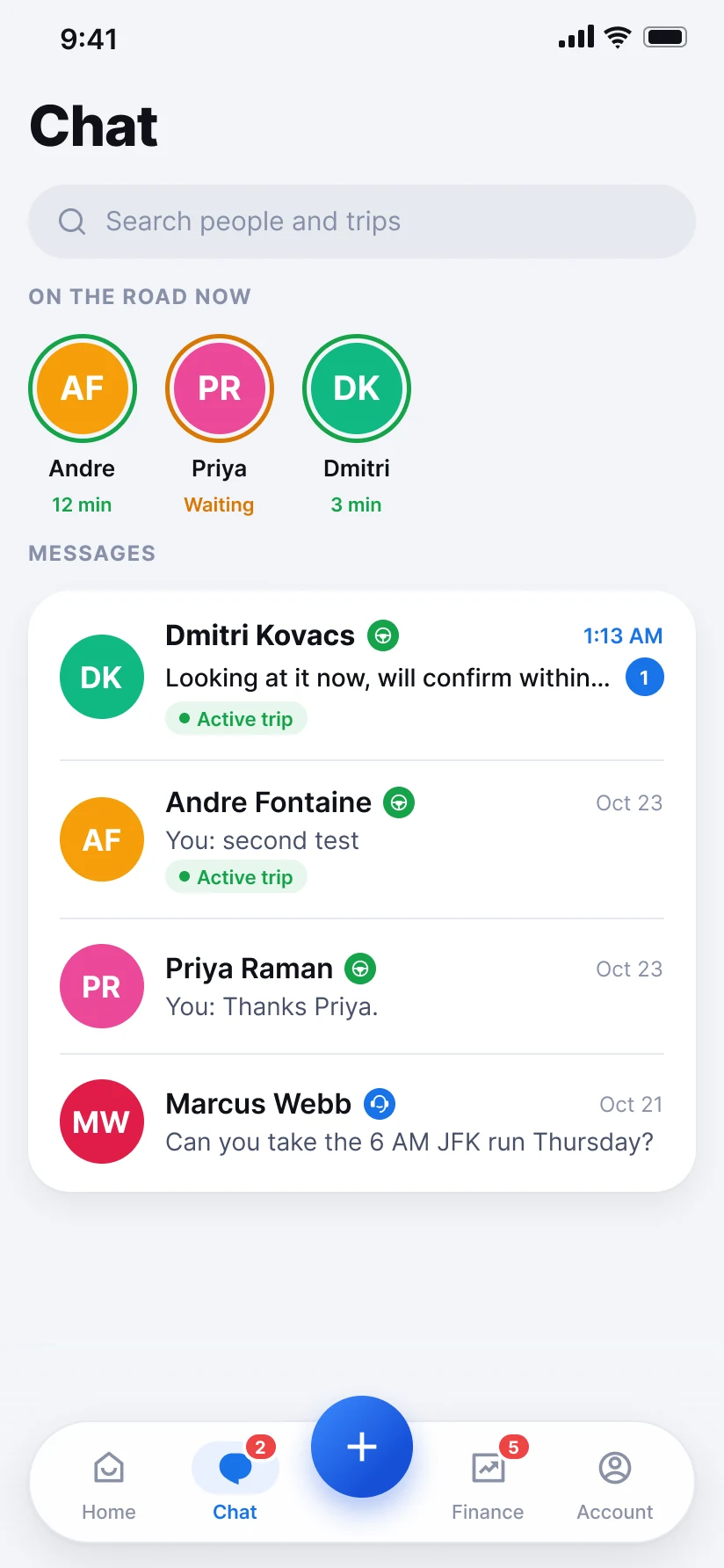
Talk inside the trip.
Message your drivers and dispatchers, with the trip right there.
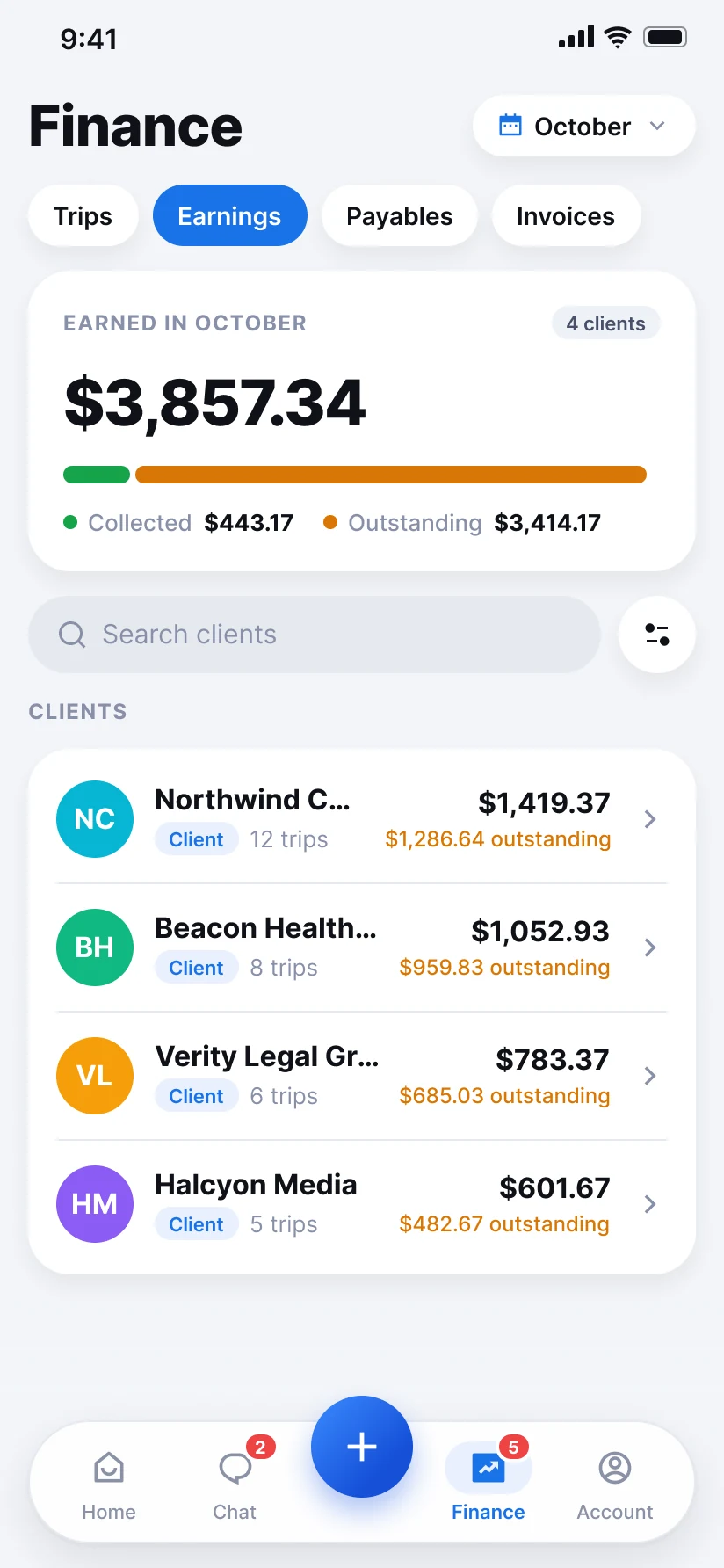
See what you earned.
By client and by month. What came in and what is still owed.
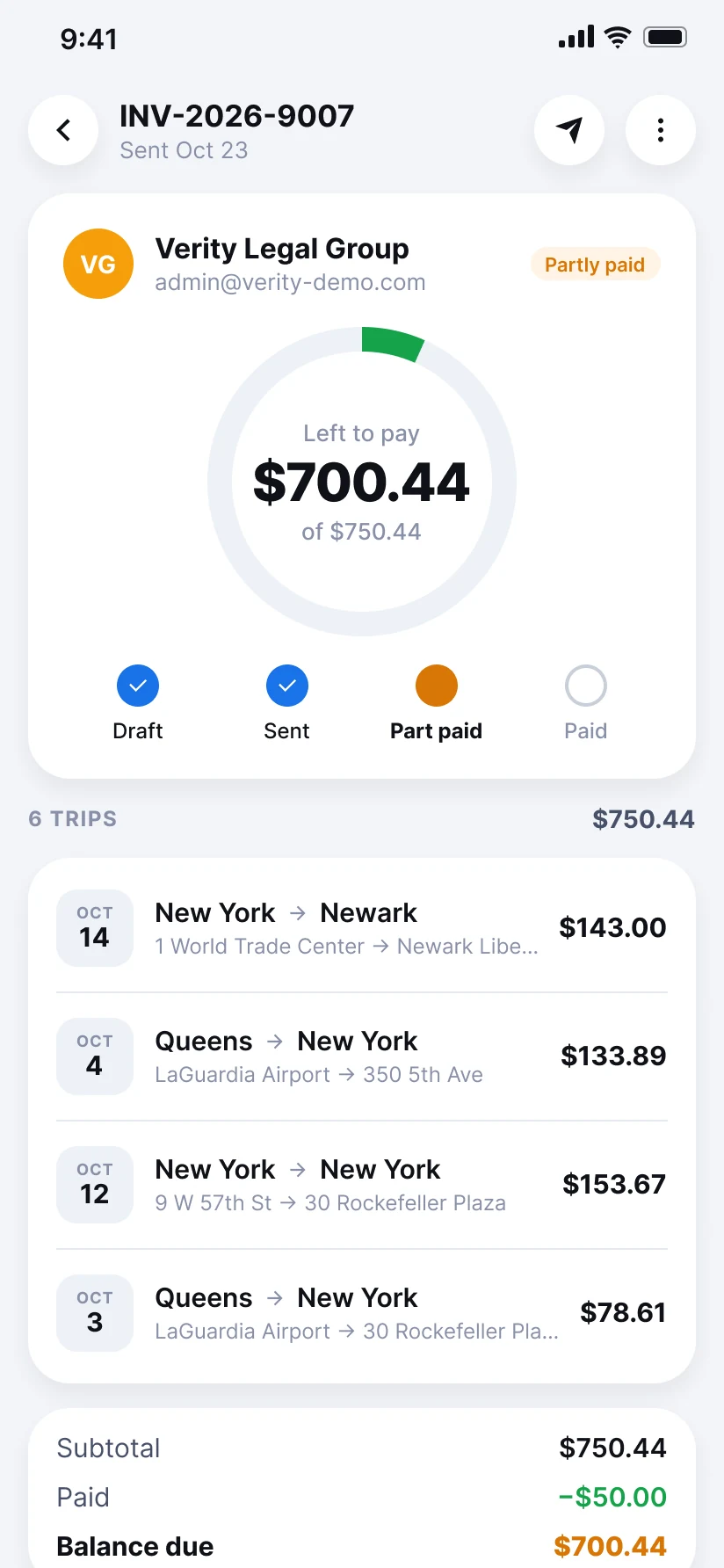
Invoices that get paid.
Email it from the app. Clients can pay online by card or bank.
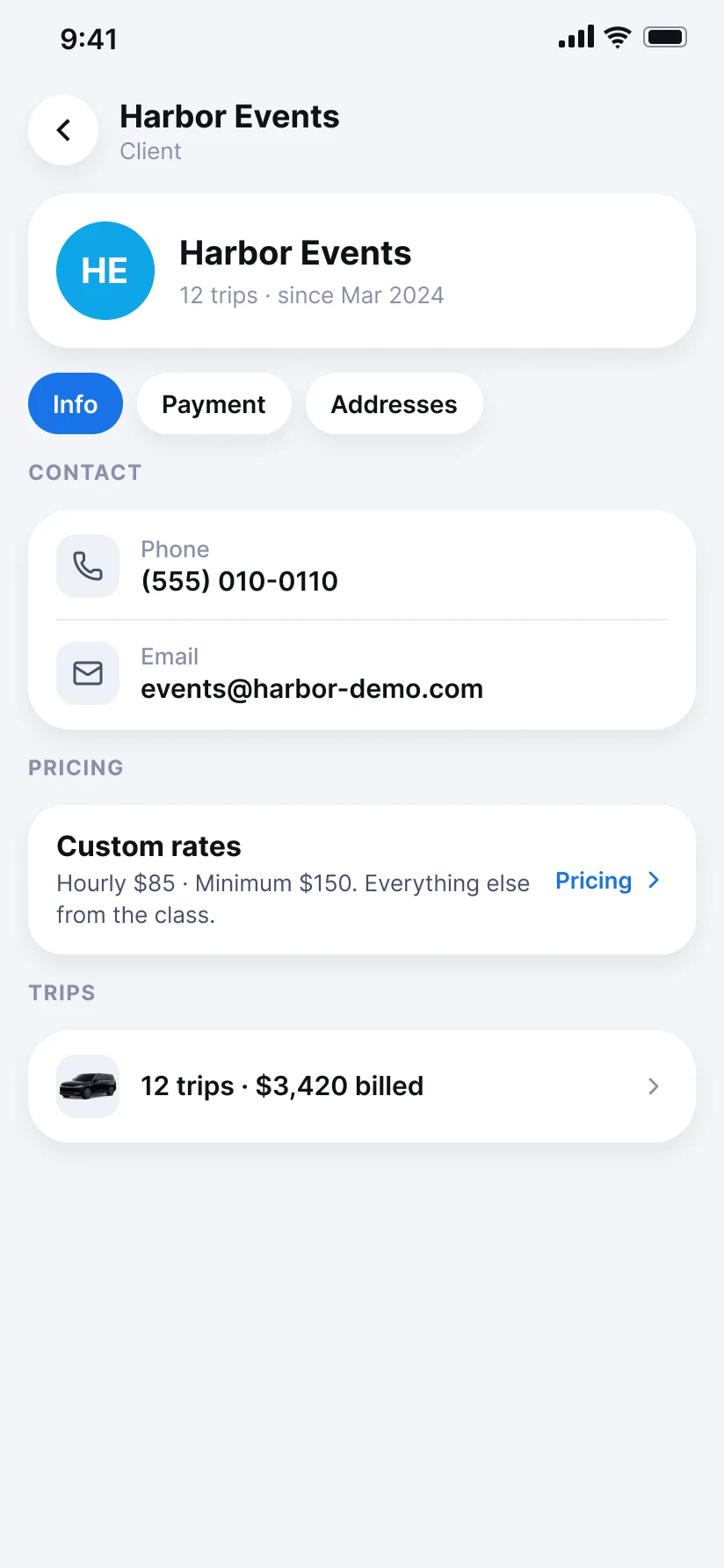
Your clients, in one place.
Their details, their rates and their usual addresses.
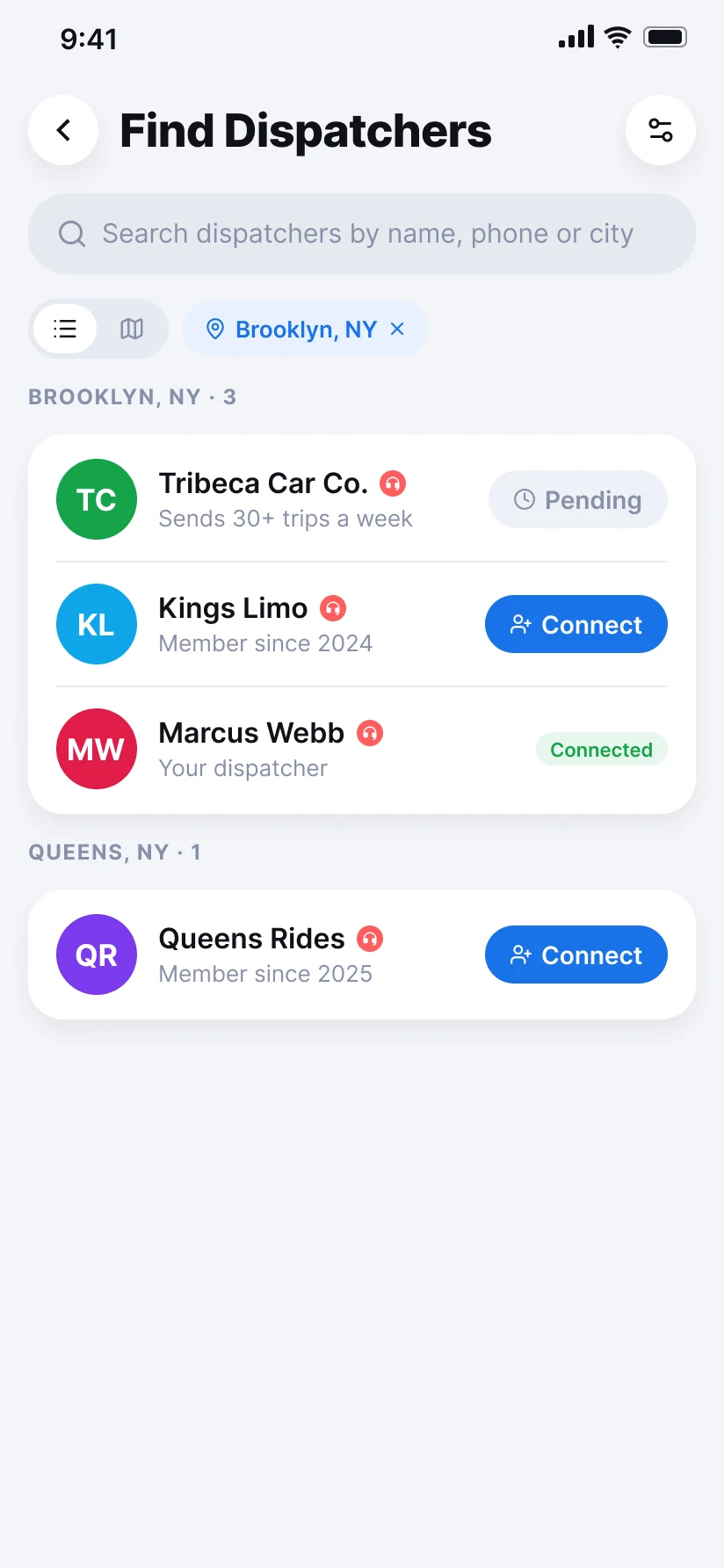
Drivers: find dispatchers anywhere.
Search a city or a name, and ask to connect.
What is Druder?
Druder is an app for anyone who dispatches drivers. Dispatchers send trips. Drivers take them and drive. The price, the invoice and the payment follow the trip, on your phone and on your computer.
Send trips
Pick a driver, send to all your drivers, or let them bid.
Track the drive
Driving and waiting time are counted for you.
Get paid
Finished trips turn into invoices. Clients can pay online.
Keep your people
Clients, drivers and their saved addresses.
How it works
One app for the whole trip.
Druder connects the people who send trips with the drivers who drive them. Here is what it does for each side, step by step, and why it beats running everything in a group chat.
For drivers
Be seen. Drive. Get paid.
No more waiting for a call. Show dispatchers you are free, take the trips you want, and let the app do the math.
3 dispatchers nearby can see you
It turns off by itself when your time is up.
Step 1 · Be seen
Let dispatchers find you.
Turn on Available now and pick your area and how long. Dispatchers nearby see you on their map, with the car you drive. It turns itself off when your time is up.
Step 2 · Connect
Find dispatchers anywhere.
Search any city or a name and ask to connect. When they accept, you are on their drivers list and their trips can come to you.
Step 3 · Get trips
Take the trips you want.
A dispatcher can send a trip straight to you, open it to all their drivers, or ask for offers. Accept it, ask for it, or name your price.
Step 4 · Drive
Drive, and the app keeps time.
Turn-by-turn directions with a voice, inside the app. The timer counts your driving and your waiting on its own, stop by stop. Tolls are added for you.
Step 5 · Done
No billing to do.
When you finish, the price is worked out from the recorded times and your rates. No invoice to write and no math. Every trip lands in your Earnings.
Step 6 · Paid
Get paid your way.
Save how you want to be paid: Zelle, Venmo, Cash App or check. Your dispatcher sees it next to what they owe you and marks your trips paid.
For dispatchers
Every trip, in one place.
Find drivers, send trips, watch them live and get paid. On your phone and on your computer.
Andre Fontaine
Toyota Camry · Free until 4 PM
Step 1 · Find drivers
Find drivers near you.
See drivers around you on a map, who is free right now, and what they drive. Connect in one tap, and they join your drivers list.
Step 2 · Create
A new trip in a minute.
Pickup, stops, drop-off and time. Druder works out the price from your rates: by the trip or by the hour, with waiting, stops, tolls and late-night fees.
Step 3 · Send
Send it the way you like.
Send it to one driver, to all your drivers, or ask for offers and pick the best one. You see who asked and what each driver offered.
Step 4 · Track
Watch every trip live.
Follow your drivers on a live map, on your phone or on your computer. See who is on the way, who is waiting and who is free.
Step 5 · Invoice
Invoice in a few taps.
Turn finished trips into an invoice with your logo, and email it to your client. Download a PDF any time.
Step 6 · Get paid
Get paid, then pay your drivers.
Clients can pay online by card or straight from their bank (ACH), in full or in part. Then mark your drivers paid from Payables.
Druder or a WhatsApp group?
A lot of dispatch still runs on group chats and phone calls. It works until it does not: trips get lost, prices get argued, and money gets chased. Here is the difference.
| What | WhatsApp and calls | Druder |
|---|---|---|
| Finding drivers and work | Finding drivers and workOnly the people already in your group | Find drivers and dispatchers by area, and connect |
| Sending a trip | Sending a tripA message that gets lost in the chat | A trip with every detail, sent to one driver, to all, or for offers |
| The price | The priceWorked out by hand, argued about later | Worked out from your rates before you send it |
| During the trip | During the tripCalls to ask where the driver is | A live map, and a timer for driving and waiting |
| After the trip | After the tripScreenshots and notes to build a bill | An invoice from the finished trips in a few taps |
| Getting paid | Getting paidChasing people for money | Clients pay online by card or bank. Drivers are marked paid. |
| Your records | Your recordsSpread across chats and phones | Every trip, invoice and payment in one place |
Other dispatch systems are usually made for the office. Druder is made for both sides: the dispatcher and the driver use the same app, and they can find each other in it.
Questions people ask
What is Druder?
+
Druder is a dispatch app for anyone who sends drivers out: transportation companies, dispatchers and independent drivers. Dispatchers create and send trips, drivers take them and drive, and the price, the invoice and the payment follow the trip. It works on iPhone, Android and on a computer.
Who is Druder for?
+
Anyone who dispatches drivers, from a small fleet to a busy dispatch office, and the drivers who take the trips. One account can do both, so an owner who also drives can use the same app for everything.
How do drivers get trips on Druder?
+
A dispatcher can send a trip to one driver, open it to all their drivers so drivers can ask for it, or ask for offers so drivers name their price. Drivers can also make themselves visible with Available now, so nearby dispatchers find them.
How is the price of a trip worked out?
+
From the dispatcher's rates: by the trip or by the hour, with waiting time, extra stops, round trips, tolls and late-night fees. Each car class can have its own rates, and the price can still be changed by hand.
Do drivers have to send invoices?
+
No. The app records the driving and waiting time and works out what the trip pays. The dispatcher invoices the client. The driver sees every trip and what it paid in Earnings.
How do drivers get paid?
+
Drivers save how they want to be paid: Zelle, Venmo, Cash App or check. The dispatcher sees it on the Payables tab, pays the driver, and marks the trips paid.
How do clients pay?
+
The dispatcher emails an invoice from the app. Once online payments are turned on, clients can pay by card or from their bank (ACH), in full or in part. Payments received another way can be recorded too.
Can I keep using WhatsApp?
+
Yes. Many people keep WhatsApp for chatting. Druder keeps the trips, prices, live tracking, invoices and payments in one place, and has its own chat for each trip.
Is Druder available now?
+
Druder is opening to businesses a few at a time. Join the waitlist and we will reach out.
Get early access.
We are opening Druder to businesses a few at a time. Leave your email and we will reach out.